
Steam games running directly on a PlayStation 5 might sound like an unlikely combination, but an experimental project called Playden is making it possible. It allows users with a jailbroken PS5 to download and run selected Windows games from their Steam libraries directly on the console.
Among the games reported to work are Portal and Left 4 Dead 2. Instead of streaming them from a PC or a cloud gaming service, Playden runs compatible games on the PS5 itself. However, it requires a modified console and is not an official PlayStation feature.
How Playden Runs Steam Games on PS5
Steam is primarily a PC gaming platform, so its regular desktop application cannot simply be installed on a standard PlayStation 5. Playden takes a different approach by providing its own launcher for the console.
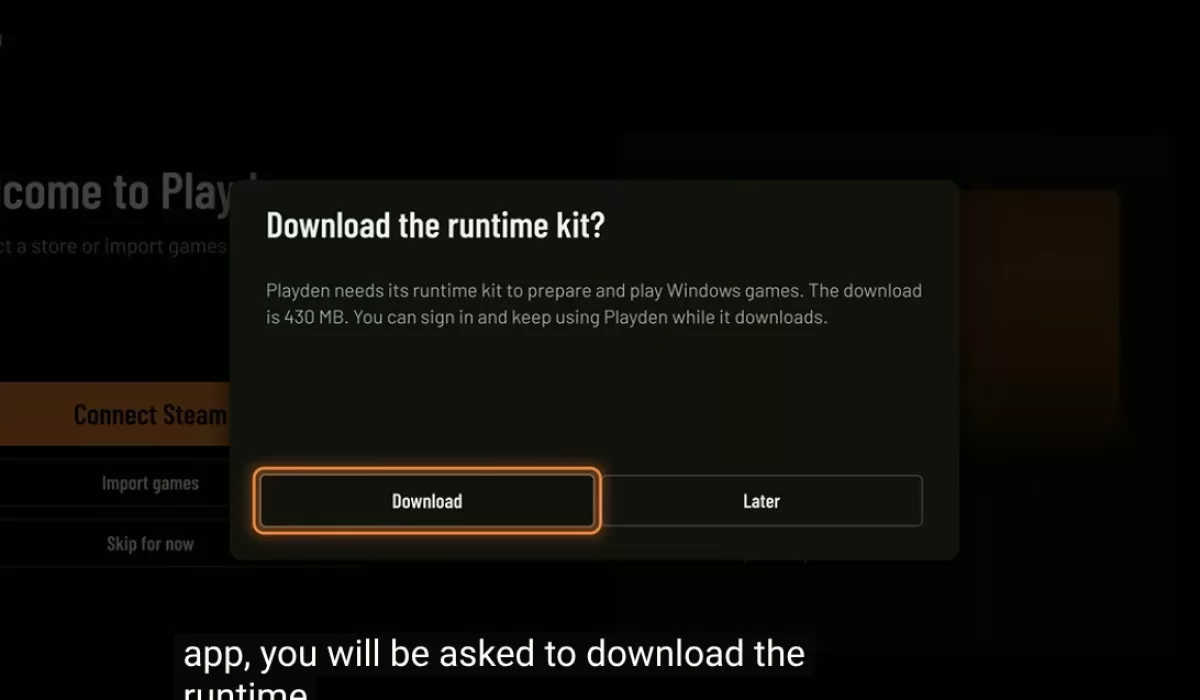
Once configured, users can sign in to their Steam accounts, browse their libraries, download games they own and prepare compatible titles to run on the PS5. Each prepared game receives its own application on the console's home screen, allowing players to launch it without opening Playden every time.
But how can Windows games run on PlayStation hardware? The key is a compatibility layer called Wine. In simple terms, Wine helps Windows software run in an environment that does not use Windows in the usual way.
Playden uses a PlayStation 5 adaptation of Wine called prospero-win. Additional software helps translate Windows graphics instructions into formats the console can handle. Playden manages much of this process, so users do not have to configure every component themselves.
This does not mean the PS5 runs a regular Windows desktop or that the standard Steam PC application has been ported to PlayStation. Instead, Playden provides its own way to access a Steam library and launch compatible games using the software needed to run them on the console.
Which Steam Games Are Compatible With PS5?
Portal and Left 4 Dead 2 are among the better-known examples associated with the project. The community-maintained compatibility list also includes other games, although results vary from titles that run reasonably well to those that still have significant problems.
A game might launch and reach its menus but still suffer from graphics glitches, control issues or problems later in the game. Online features may also fail to work. Simply getting a game to start does not guarantee that it can be completed without issues.
Some games also depend on additional launchers, anti-cheat systems or copy protection that Playden cannot currently handle. Games requiring launchers such as the EA app, Ubisoft Connect or Rockstar's software are among those listed as unsupported. Denuvo-protected games and titles that rely on certain advanced anti-cheat systems are also outside the project's current capabilities.
Before trying a particular game, check the official Playden compatibility list. It includes testing notes that help distinguish games that merely launch from those that have been played successfully.
PS5 Jailbreak Requirements and Playden's Limitations
Playden requires a jailbroken PS5 and additional software that allows it to prepare and launch games. Jailbreaking modifies the console's software environment to enable functionality that Sony does not officially support.
This is a major barrier for ordinary PS5 owners. Compatibility depends on the console's software version and the available jailbreak methods, so getting Playden running is not a straightforward process for everyone. The project does not jailbreak the console for you.
There are also security considerations. Playden is an unofficial Steam client, and its developer warns that it signs in to a real Steam account and communicates with Steam's servers. According to the project documentation, a saved sign-in token can be stored on the console without encryption, potentially exposing it to anyone who gains access to the relevant files.
Steam Cloud saves also require care. Playden can download and upload saved games, but a bug or a mistake when resolving a save conflict could overwrite a good save. The developer recommends backing up important data and warns users to expect bugs, crashes and other problems while the project remains experimental.
Playden is not affiliated with, endorsed by or supported by Valve. Anyone considering trying it should read the official project documentation and understand the risks before connecting a Steam account or modifying a console.
Could Playden Turn the PS5 Into a PC Gaming Alternative?
Playden shows how a jailbroken PS5 can run software beyond its officially supported games. Being able to access part of an existing Steam library on the same hardware is an interesting development, especially for players who enjoy experimenting with console software.
However, it is not yet a realistic replacement for a gaming PC. Game compatibility varies, some features remain unavailable, and setting everything up requires considerably more effort than installing a game through Steam on a computer.
For now, Playden is an experimental project for PS5 owners who are comfortable modifying their consoles. Whether it becomes a more practical way to play PC games will depend on future compatibility improvements and how reliably more titles can run.
Watch Playden Running on PS5
Want to see Playden in action? YouTuber MODDED WARFARE demonstrates how to install and set up the homebrew application, explores its features and tests PC games running directly on a PS5.
Watch the Playden tutorial on YouTube.


This YouTube video is privacy-friendly by default. YouTube content is only loaded when you press play.

Webmastahhh is the creator of Mastanet, a gaming and technology website where he shares news, reviews, guides and personal insights about games, hardware, software and the future of digital entertainment.